Before the meeting
The host selects the relevant Canvas or Atlas and controls who can enter the shared meeting surface.
Microsoft Teams integration preview
Clarimind is proving a separately released Teams surface for account-owned Canvases and Atlases. When that integration is enabled, participants can work around the same map during a meeting and continue from the durable structure afterwards.
The browser-local Canvas trial does not include meeting integration, sharing, collaboration, or AI. Teams availability is controlled separately from account plans.
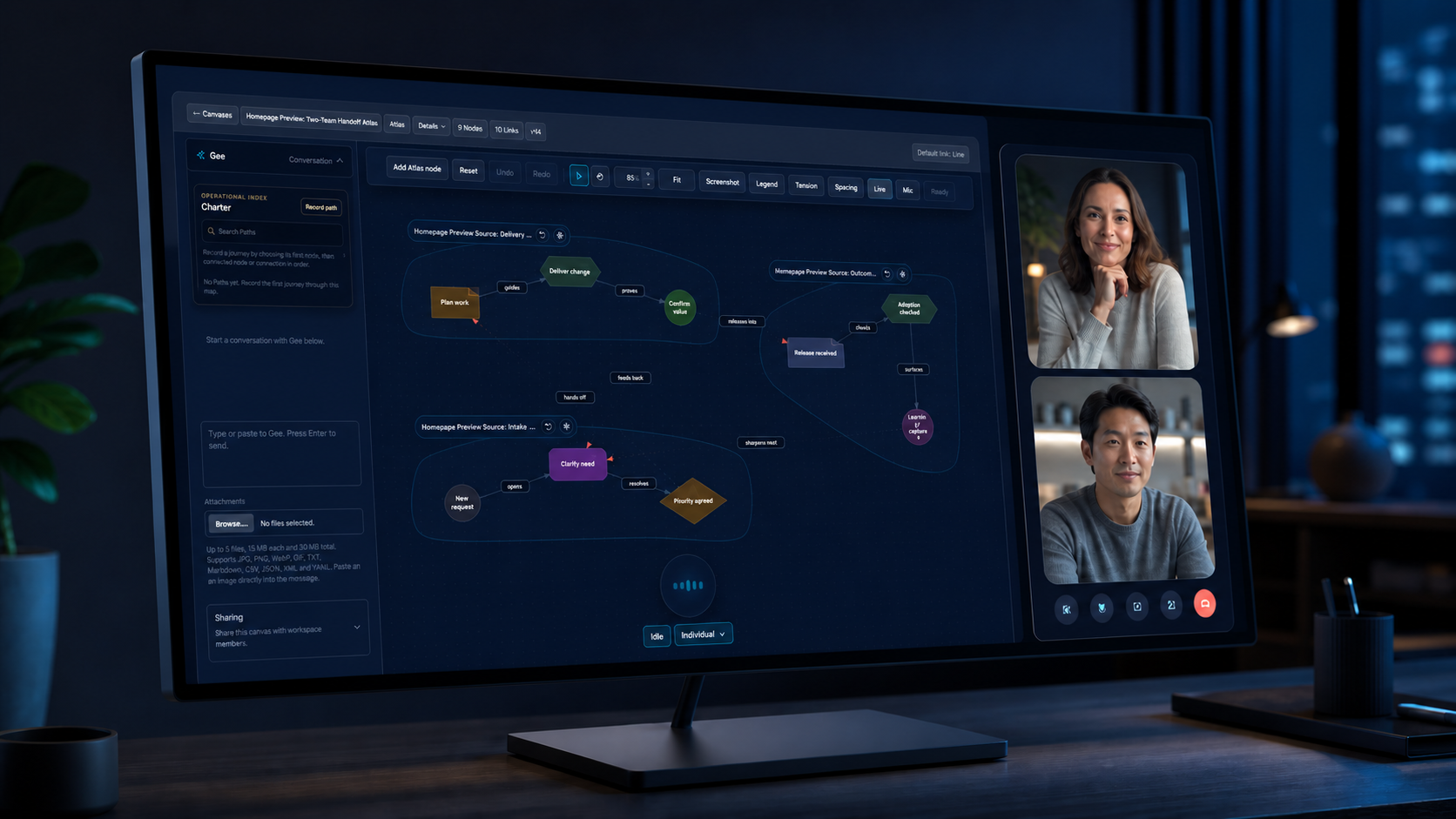
The host selects the relevant Canvas or Atlas and controls who can enter the shared meeting surface.
Participants see the same map, follow presence and pointers, and work with live moves and edits as permissions allow.
The authoritative Canvas remains in Clarimind with its decisions, dependencies, risks, and open questions connected.
From meeting to organisational model
A meeting Canvas can join an Atlas alongside maps from other teams, source reviews, or earlier calls. Paths then expose how a process crosses those boundaries.
See Atlas and PathsSee where other participants are working without turning the Canvas into a separate screen-share.
Host-selected access and participant roles keep meeting collaboration deliberate.
Gee works visibly on Canvas objects; people can correct, undo, rename, reconnect, or remove the result.
Reopen the same model on the web, in another call, or as part of a composed Atlas.
Bring one real project, process, or technical walkthrough and make its structure visible to the room.